AI development for NinjaTrader

Turn trading ideas into NinjaScript.

Xen is a focused AI workspace for creating NinjaTrader strategies and indicators. Describe what you need in plain English, receive structured C# source code, then refine it through an ongoing project.

  • Strategies
  • Indicators
  • Existing code
  • Saved projects
X XEN NINJATRADER
Credit: £9.84
PROJECT TYPE NinjaScript workflow
Build Strategy
Build Indicator
Existing Strategy
Existing Indicator
ACTIVE WORKSPACE

Build Strategy

YOU Build an EMA crossover strategy with an ATR stop and configurable position size.
protected override void OnBarUpdate()
{
  if (CrossAbove(FastEma, SlowEma, 1))
    EnterLong(DefaultQuantity);
}

Five-minute product overview

See Xen in action.

See how Xen turns plain-English trading ideas into NinjaScript, plans complex projects, checks generated code and helps repair build errors.

Start building

Available now

A purpose-built workspace for NinjaScript

The current Xen beta focuses on the core development loop: describe, generate, review and improve.

01

Build strategies

Define entries, exits, risk controls and configurable parameters. Xen turns the specification into structured NinjaScript strategy code.

02

Create indicators

Explain the calculations, plots and signals you need and generate a NinjaTrader indicator as readable C# source.

03

Improve existing code

Paste an existing strategy or indicator and ask Xen to explain, modify or repair the source while retaining the project context.

04

Work iteratively

Continue the conversation, request precise revisions and save the resulting project so you can return to it later.

05

Choose your AI model

Select from supported coding and reasoning models for each project, balancing capability, response time and usage cost.

06

Pay for what you use

See your credit balance in the workspace, receive low-credit warnings and top up securely from £1 with no subscription.

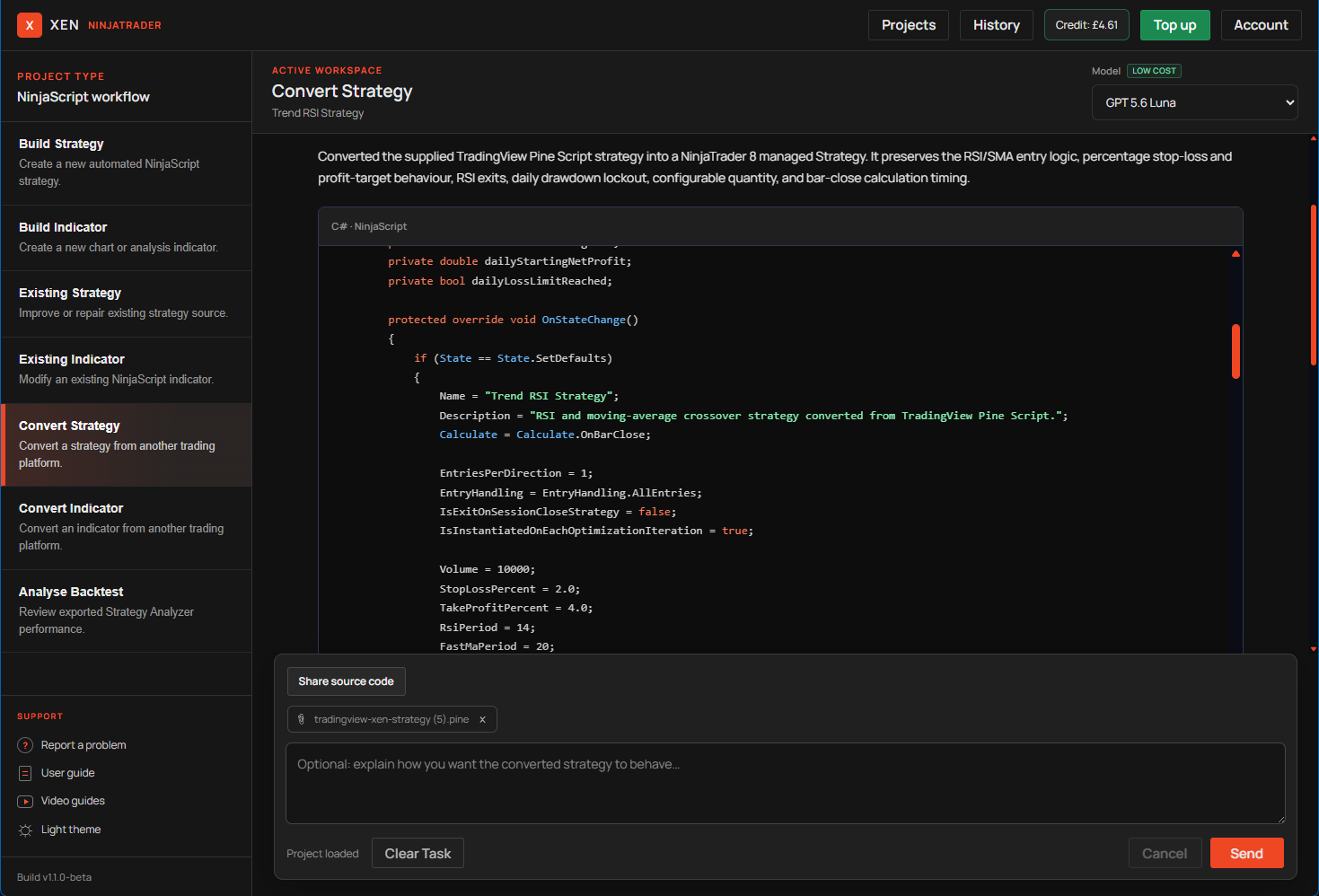
Strategy and indicator conversion

Bring trading tools from other platforms.

Paste source code or upload a C#, MetaTrader or Pine Script file and Xen will convert the trading tool into NinjaTrader 8 NinjaScript. The dedicated conversion tasks preserve the original behaviour where the NinjaTrader API supports an equivalent.

  1. 01

    Convert automated strategies

    Preserve entries, exits, risk controls, order management, configurable inputs and calculation timing.

  2. 02

    Convert indicators

    Translate calculations, buffers, plots, visual behaviour and parameters into a NinjaTrader indicator.

  3. 03

    Review platform differences

    Xen explains important mappings and limitations. Compile and compare every conversion in NinjaTrader before use.

Built-in Prompt Builder

Plan complex builds before generating code.

When a trading-tool idea needs more definition, Xen can ask up to three focused questions and turn the answers into an ordered Build Plan. This keeps larger NinjaScript projects clear, incremental and easier to test.

  1. 01

    Clarify what matters

    Xen asks only the questions that materially affect the implementation.

  2. 02

    Create a staged Build Plan

    Receive a sequence of focused prompts, with assumptions clearly identified.

  3. 03

    Build and test in order

    Load each prompt into Xen, then compile and test the result in NinjaTrader before continuing.

Requirements Verification

Check the code against what you requested.

Go beyond initial code generation with a separate requirements audit. Xen checks the latest complete NinjaScript source against your original request or active Build Plan before you compile and test it in NinjaTrader.

  1. 01

    Verify every requirement

    See which requirements are implemented, partially implemented or missing from the generated source.

  2. 02

    Review risks and manual tests

    Identify NinjaScript lifecycle concerns, trading risks and behaviour that must be tested inside NinjaTrader.

  3. 03

    Prepare a focused repair

    Turn incomplete or missing requirements into a targeted repair request without rebuilding the entire project.

A simple workflow

From specification to source code

  1. 1

    Select a task

    Start a new strategy or indicator, or bring existing source code.

  2. 2

    Describe the behaviour

    Give Xen the trading rules, parameters and changes you require.

  3. 3

    Review and refine

    Inspect the formatted response and request further modifications.

  4. 4

    Test in NinjaTrader

    Copy the source into NinjaTrader, compile it and validate its behaviour.

Model choice

Use the right model for the work.

Move between supported OpenAI, Anthropic and DeepSeek models from the workspace. Your selection is remembered when you return.

Questions

What to expect from the beta

Do I need to know C#?

You can describe a project in plain English, but some NinjaTrader and trading-system knowledge is important when reviewing and testing it.

Does Xen compile the code?

Not in the current NinjaTrader beta. Xen generates and revises the source; you compile and test it inside NinjaTrader.

Can I continue an existing project?

Yes. Xen saves project conversations and generated responses so you can reopen them and request further changes.

Does Xen provide trading advice?

No. Xen assists with software development. Generated code and trading logic must be independently reviewed and tested before use.

NinjaTrader Xen beta

Start your first NinjaScript project.

Create an account, select a task and describe what you want to build.

Create account